
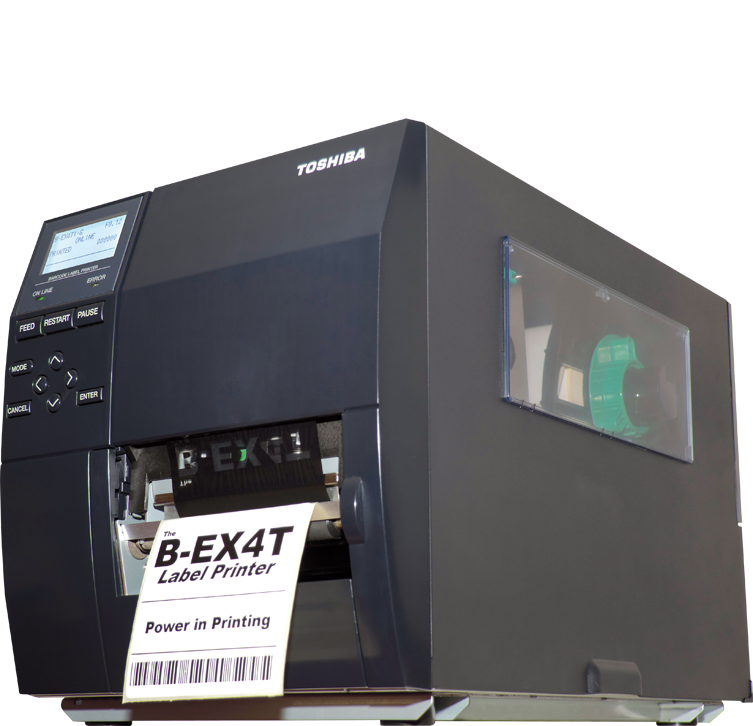
4″ WIDE, 203 DPI, 14 IPS, Ribbon Save, LAN, USB, Rotary Cutter
B-EX4T1
- 4″ Thermal Transfer (Near Edge Head)
- Resolution: 203 DPI
- Speed: 14 IPS
- High Performance
- Low TCO
- Available in U.S. and Latin America
B-EX4T1 SPECIFICATIONS
Technology – Thermal Transfer / Direct Thermal
Resolution – 203 dpi
Media Pitch – Min. 10.0 mm (0.39″) Max. 1496 mm (58.9″)
Media Width (w/ backing paper) – Min. 27.0 mm (1.06″) Max. 117 mm (4.6″)
Print Speed – 356 mm/s
Interfaces – USB, Ethernet, Ribbon Save, Rotary Cutter
Barcodes – Serial, Parallel, Wireless, RTC & USB host Expansion I/O JAN8, JAN13, EAN8, EAN8+2 digits, EAN8+5 digits, EAN13, EAN13+2 digits, EAN13+5 digits, UPC-E, UPC-E+2 digits, UPC-E+5 digits, UPC-A, UPC-A+2 digits, UPC-A+5 digits, MSI, ITF, NW-7, CODE39, CODE93, CODE128, EAN128, Industrial 2 to 5, Customer Bar Code, POSTNET, KIX CODE, RM4SCC (ROYAL MAIL 4 STATE CUSTOMER CODE), GS1 DataBar
2D Codes – Data Matrix, PDF417, QR code, Maxi Code, Micro PDF417, CP Code, AZTEC Code, GS1 QR Code
Fonts – Bitmap font, Outline font, Price font, Optional TTF, OTF, Writable characters
Dimensions – (W x D x H)10.9″ x 18.1″ x 12.2″
Weight – 37.47 Lbs.
To use this printer, simply connect it to your computer or network using the available USB or Ethernet interfaces. Load your label media into the printer according to the specified media width and pitch. You can then start printing barcodes and other information using the supported barcode types and fonts. When using the Rotary Cutter, be careful not to cut yourself. Regularly clean the printer to ensure optimal performance. Replace the ribbon when needed. Make sure to use the appropriate label media recommended for this printer. Avoid using damaged or wet media. If you encounter any issues, refer to the user manual or contact customer support.
Be the first to review “BEX4T1GC12DS01R – Toshiba Barcode Label Printer Near Edge Cheap Sale 2025”
Related products

Office Electronics
Office Electronics
Office Electronics

Office Electronics
Reviews
There are no reviews yet.